Ring Phone Calls - JusCall
- 4.1
- Rating
- 10.00M
- Installs
- Free
- Price

 Analysis by App-foxy
I tested Ring Phone Calls - JusCall as a communication app with a shared-use question in mind: could it make sense in a household where people need to place calls from more than one device, or where one person occasionally helps another stay connected? My answer is fairly positive, but with an important boundary. It is useful when the goal is simple voice communication through Wi-Fi or mobile connectivity, yet it should not be treated as a complete family-management system or as a replacement for every ordinary phone option.
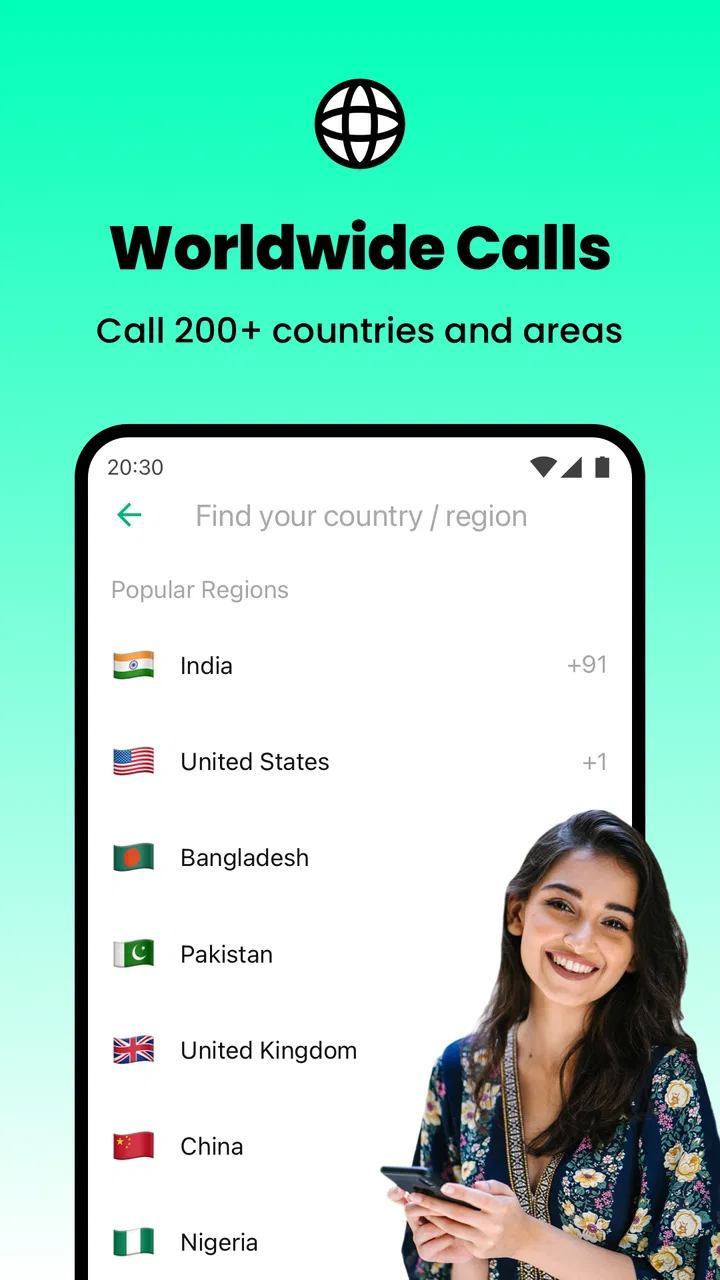
The app is developed by JusCall and is available free of charge, with optional in-app purchases ranging from $0.99 to $50.00 per item. Its central appeal is straightforward: it combines internet calling with worldwide eSIM mobile calling in one communication-focused app. That makes it interesting for people who travel, call contacts abroad, or want another route for voice calls when a traditional mobile plan is inconvenient.
What I liked most during my use was the directness of the experience. I did not feel that the app was trying to become a social network, a messaging hub, or a crowded productivity tool. Its purpose is calling, and that narrow focus can be a real advantage in a household where someone just needs to reach another person without learning a complicated interface. At the same time, the app’s usefulness depends heavily on connectivity, account ownership, and how carefully a shared device is organized.
You May Also Like

 Blood Strike: 2.5 Anniversary
Blood Strike’s Loadouts Turn Every Drop Into a Tactical Gamble
A close look at Blood Strike’s custom loadouts: how fast access to signature weapons reshapes its battle royale rhythm, rewards preparation, and narrows the gap between fights.

 Pandora - Music & Podcasts
Pandora’s Music Is Easy to Start, but Harder to Recover
Pandora’s strength is its low-effort path from a seed to a station. Its weak spot is how much confidence it asks you to place in connection, setup, and quiet recovery.

 8 Ball Pool
 Is Built on Rivalries, Rematches, and Routine
A close look at the rivalries, rematches, shared routines, and unanswered safety questions that turn a quick pool match into a persistent mobile community.

 Samsung Music
’s Quiet Strength Is Playing What You Already Own
Its reach comes less from spectacle than from dependable access to a personal library. That simplicity is both the app’s strongest retention engine and its ceiling.

 AccuWeather: Weather Radar
AccuWeather Review: A Quick, Clear Forecast for Everyday Decisions
For everyday plans, the best forecast is the one you can understand quickly. AccuWeather makes rain timing, radar, and local conditions easy to act on, with a few trade-offs.

 Hill Climb Racing
Why Hill Climb Racing Still Turns Crashes Into One More Run
A tiny car, a bumpy hill and one more upgrade: Hill Climb Racing keeps resurfacing because its simple chaos makes every near-miss feel personal.
More From Our News Desk



How JusCall fits into a shared household
When I think about JusCall in a shared household, I focus less on putting everyone on one account and more on giving a particular device a clear job. A phone kept for travel, a relative’s check-ins, or occasional overseas calls can be easier to manage than an all-purpose family handset. That choice also sets up the next question: how to make the first call straightforward for the person who will actually use it.
A practical scenario for shared devices
Imagine a household with a parent who travels, a teenager who uses a tablet or spare phone, and an older relative who mainly needs voice calls. The family may not want to give every person a separate full mobile plan, but they still need a way to coordinate arrivals, check in during a trip, or call someone overseas. In that situation, JusCall can serve as an additional calling channel rather than the household’s only communication method.
I found the app most convincing for short, purposeful calls: telling someone that a train is delayed, confirming that a child has arrived, or reaching a relative in another country without relying entirely on standard carrier minutes. Because the app supports Wi-Fi VoIP calling, a person connected to a reliable home network can make calls without depending solely on cellular coverage. The eSIM side adds another possible route for mobile connectivity, which is especially relevant when traveling.
That does not mean every member of a household should automatically share one installation or one account. A shared phone can be convenient, but it also creates confusion about who is making calls, which account is active, and whether the person using the device understands any purchase prompts. I would use the app on a common device only when the household has agreed on its purpose and when the device itself is not treated as a private personal phone.
For a family, the strongest workflow is to define the device’s role first. Is it a travel phone, an emergency backup, a phone kept in the kitchen, or a device used by one particular person? JusCall works more predictably when that question has a clear answer. If everyone uses the same phone casually, the technical setup may be easy, but the social boundaries become harder to manage.
What the initial setup means for account boundaries
Before relying on the app, I would decide whose account is being used and who is allowed to place calls. This is more important than it may sound. A communication app on a shared device can blur the line between the household’s calling tool and one person’s private account. If the device changes hands often, the person responsible for it should know how the app is configured and how optional purchases are handled.
JusCall is rated for Everyone, which makes its basic audience broad. That rating does not remove the need for adult supervision on a shared device. An age label describes the general suitability of the app; it does not establish who may access the device, who pays for optional items, or what calling habits are appropriate in a particular home.
I would also avoid presenting the app to a child as if it were a fully supervised family phone. The app can help with communication, but the household still needs its own rules about contacts, calling times, spending, and handing the device to others. Those rules are especially useful when the app is installed on a phone that several people can unlock.
A simple household agreement can prevent most friction: one person manages the account, everyone knows whether calls may use mobile data, and nobody assumes that an internet call is automatically free in every situation. The app itself may be free to install, but optional in-app purchases are part of the experience, so I would make the payment boundary clear before lending the device to someone else.
Coordinating calls when people are on different networks
The combination of Wi-Fi VoIP and eSIM calling gives JusCall a useful role in coordination. At home, Wi-Fi may be the convenient connection. During travel, mobile connectivity may matter more. This flexibility is valuable when a family member moves between locations, but it also means the quality of a call can change with the connection being used.
For an everyday household routine, I would use the app as a planned contact point rather than assuming it will solve every urgent situation. For example, a parent could agree with a teenager that the shared phone remains available for a check-in after school. A traveler could use it to call home from a hotel or another place with Wi-Fi. An older relative could use it for familiar outgoing calls if the device is kept charged and the interface remains comfortable.
The non-obvious advantage here is redundancy. JusCall can be useful when the normal calling route is inconvenient, but redundancy only helps if the household tests it before it is needed. I recommend making a short call between the relevant devices, checking whether the person on the other end can hear clearly, and confirming that everyone understands which connection is being used. A backup communication tool that has never been tried is not much of a backup.
I would not make the app the sole plan for a time-critical situation. Internet calling depends on the available network, and a household should retain another appropriate way to contact people when the connection is poor or the device battery is empty. This is not a criticism unique to JusCall; it is simply the trade-off that comes with using VoIP as part of a calling routine.
Age, trust, and the person holding the device
The age rating of Everyone makes the app approachable for a broad range of users, but household suitability is more personal than a store label. A young child may understand how to tap a contact but not understand the financial or privacy consequences of using a calling service. An older adult may appreciate a dedicated calling app but need help during the first setup. A teenager may be perfectly capable of using it but still need agreed limits on shared-device access.
In my view, trust is the key issue. I would be comfortable giving a configured device to a responsible family member for a defined purpose, especially if the device has a clear owner and the payment expectations are understood. I would be less comfortable installing it on a phone that contains several people’s accounts and then allowing unrestricted use without explaining the boundaries.
There is also a difference between helping someone call and monitoring them. JusCall is best approached as a communication tool, not as evidence that a household has solved supervision. If a family needs detailed parental controls, contact approval, activity reporting, or a formal emergency-management system, it should look for tools designed around those needs instead of expecting a calling app to provide them.
For older relatives, the practical test is not the number of features but the number of steps required to complete a call. I would prepare the device with the most important contacts easy to recognize, demonstrate the calling process, and leave written instructions in plain language. The app’s focused purpose can help here, but the surrounding device configuration still determines whether the experience feels simple or confusing.
How it compares with ordinary alternatives
Compared with the regular phone dialer, JusCall is more attractive when Wi-Fi calling, international communication, or eSIM-based mobile access is central to the situation. The ordinary dialer is usually the more natural choice for someone who already has dependable carrier service and does not need an additional calling route. It is also easier for households that want one familiar system with no separate app routine.
Compared with messaging apps that also offer voice calls, JusCall feels more focused on calling itself. A messaging platform may be better when the household already organizes conversations through text, images, group chats, and shared updates. JusCall makes more sense when the main task is to place or receive a voice call without turning the experience into a broader social feed.
Compared with a travel eSIM app that concentrates mainly on data connectivity, JusCall has a clearer communication angle. A travel-focused data service may be preferable for someone who mostly needs internet access for maps and messaging. JusCall is more relevant when voice calling is an important part of the plan. The right choice depends on whether the household wants a calling tool, a data package, or both through separate services.
The trade-off is that adding another calling app adds another account and another place to remember. For a single user, that may be minor. For a shared household, it can become the deciding factor. If everyone already uses the same familiar calling method successfully, JusCall needs to offer a real advantage—such as travel flexibility or a useful Wi-Fi calling option—to justify the extra layer.
What the current app details suggest about ownership
JusCall has reached more than ten million installs and holds an average rating of 4.1 from around ninety thousand ratings, which suggests that many people find the basic concept useful while experiences are not identical for everyone. I treat that as a reason to test it in the exact conditions where I plan to use it, especially if the household depends on a particular Wi-Fi network or travel connection.
The app was released on May 21, 2017, and the current version is 6.6.6. It requires Android 6.0 or later, so an older device may need checking before installation. That requirement is particularly relevant for shared household phones, since spare devices are often older than the main phones people use every day.
The developer is JusCall, and the app belongs squarely to the communication category. Those details matter when organizing a device: I would label the app by its calling purpose rather than treating it as a general family-management tool. I would also check the device’s available storage, operating-system compatibility, and connectivity before promising that it will be ready for a trip or a relative’s regular use.
The free entry point is helpful for trying the app without committing immediately, but I would still keep an eye on the purchase side. Optional items can cost from $0.99 to $50.00 each, so the household should decide in advance whether purchases are allowed and who is responsible for them. On a shared device, that conversation is more important than it would be on a private phone.
Small habits that make shared use smoother
My first practical tip is to create a dedicated routine around charging. A shared calling device is only useful if it is where people expect it to be and has enough battery when someone needs it. Keeping it in one known place avoids the common household problem of a backup phone disappearing into a bedroom, bag, or car.
My second tip is to test both Wi-Fi and mobile situations separately. A call that works well on the home network does not automatically tell me how the app will behave while traveling. If the app is being prepared for an overseas trip, I would make a test call before departure and confirm that the intended user knows how to access it without assistance.
My third tip is to separate the app’s communication role from the family’s coordination rules. JusCall can help someone speak to another person, but it does not replace a shared calendar, a household agreement, or a backup plan. For a family coordinating school pickups or travel, I would pair the calling routine with a simple rule such as who calls whom and what to do if nobody answers.
My fourth tip is to review the device with the least technical user in mind. Remove unnecessary clutter from the home screen, use recognizable contact names, and practice one complete call together. The goal is not to turn the person into an app expert; it is to make the important action—calling—easy to repeat.
Who should use it and who should skip it
I would recommend JusCall to travelers, people who regularly make international calls, households that want a secondary voice option, and users who value the possibility of calling over Wi-Fi or through eSIM mobile connectivity. It is also worth considering for a shared backup phone when the household is willing to define account and purchase boundaries clearly.
I would skip it if I only need a standard dialer and already have a reliable mobile plan. I would also look elsewhere if my main requirement is detailed family supervision, group coordination, text-based planning, or a fully managed emergency service. Those needs go beyond the app’s focused calling purpose.
For a shared device, I would be cautious when several people need private accounts or when nobody wants to take responsibility for optional purchases. The app may still function, but the household experience can become messy. In that case, separate personal devices with their own established calling methods may be simpler and safer.
My household verdict
After using it with shared-device use in mind, I see JusCall as a useful communication layer rather than a complete household solution. Its strongest qualities are its clear calling focus, support for Wi-Fi VoIP, and attention to worldwide eSIM mobile calling. Those qualities can make a real difference for travel, international contact, and backup communication.
My recommendation comes with a condition: decide who owns the account, who may use the device, and how optional purchases are handled before inviting the whole household to rely on it. That small amount of preparation prevents most of the confusion I would otherwise expect from a shared calling app.
For a person who wants a simple way to explore internet-based voice calls, the free download makes trying it reasonable. For a family, the decision should be based less on the app’s broad age rating and more on the household’s trust, device habits, and need for travel or international calling. JusCall is at its best when it fills a specific communication gap, not when it is asked to manage the entire family’s communication life.
FAQs for Ring Phone Calls - JusCall
01What is Ring Phone Calls - JusCall and how does it work?
Ring Phone Calls - JusCall is a communication app designed for making voice and video calls over the internet. After installing it, you can create or access an account, find contacts, and place calls using a Wi-Fi or mobile data connection. Its call quality depends on your network, device performance, and the connection available to the person you are contacting.
02Is Ring Phone Calls - JusCall free to use?
The app can generally be downloaded and used without an upfront purchase, but some calling options or additional services may depend on the app’s current pricing model, credits, subscriptions, advertising, or regional availability. Before making frequent calls, check the in-app information and the store listing carefully, especially if the service offers international calling or paid upgrades.
03Does JusCall require an internet connection?
Yes. Ring Phone Calls - JusCall relies on an internet connection for its main communication features. You can use Wi-Fi to avoid consuming cellular data, or mobile data when Wi-Fi is unavailable. A weak or unstable connection may cause delays, dropped calls, poor audio, or reduced video quality, so a reliable network is recommended for longer conversations.
04Can I call people who do not have Ring Phone Calls - JusCall installed?
Whether you can contact someone without the app depends on the specific calling feature and destination supported by JusCall. App-to-app calls normally require both users to have compatible accounts and an active internet connection. If the service provides phone-number calling, it may involve credits, subscriptions, regional restrictions, or additional charges, so confirm the terms before using it.
05What permissions and privacy considerations should I know about?
Because Ring Phone Calls - JusCall is a calling application, it may request access to features such as the microphone, camera, contacts, notifications, and phone-related information. These permissions support calling and contact discovery, but you should review them during setup and in your device settings. Read the app’s privacy policy to understand how account, contact, and usage data may be handled.
Pros
- Works over Wi‑Fi and mobile data for flexible calling.
- Simple interface makes starting calls quick and easy.
- Useful for keeping in touch with contacts abroad.
- Supports calling from smartphones without traditional phone minutes.
- Call history helps you quickly find recent conversations.
Cons
- Call quality can drop when the internet connection is unstable.
- Some features may require credits or in-app purchases.
- The recipient may need the app or a compatible calling setup.
- Background battery use may increase with notifications enabled.
- Availability and pricing of calling destinations can vary by region.

Ring Phone Calls - JusCall
Gallery